Edit Structure Metadata in Batches
Config_type and custom tags commonly record data provenance, calculation stage, or review status. To change them in bulk, select the target structures and use Edit info; there is no need to split and merge files just to change a few tags.
Limit the Edit Scope First
This example selects the first three structures and then clicks Edit info on the toolbar:
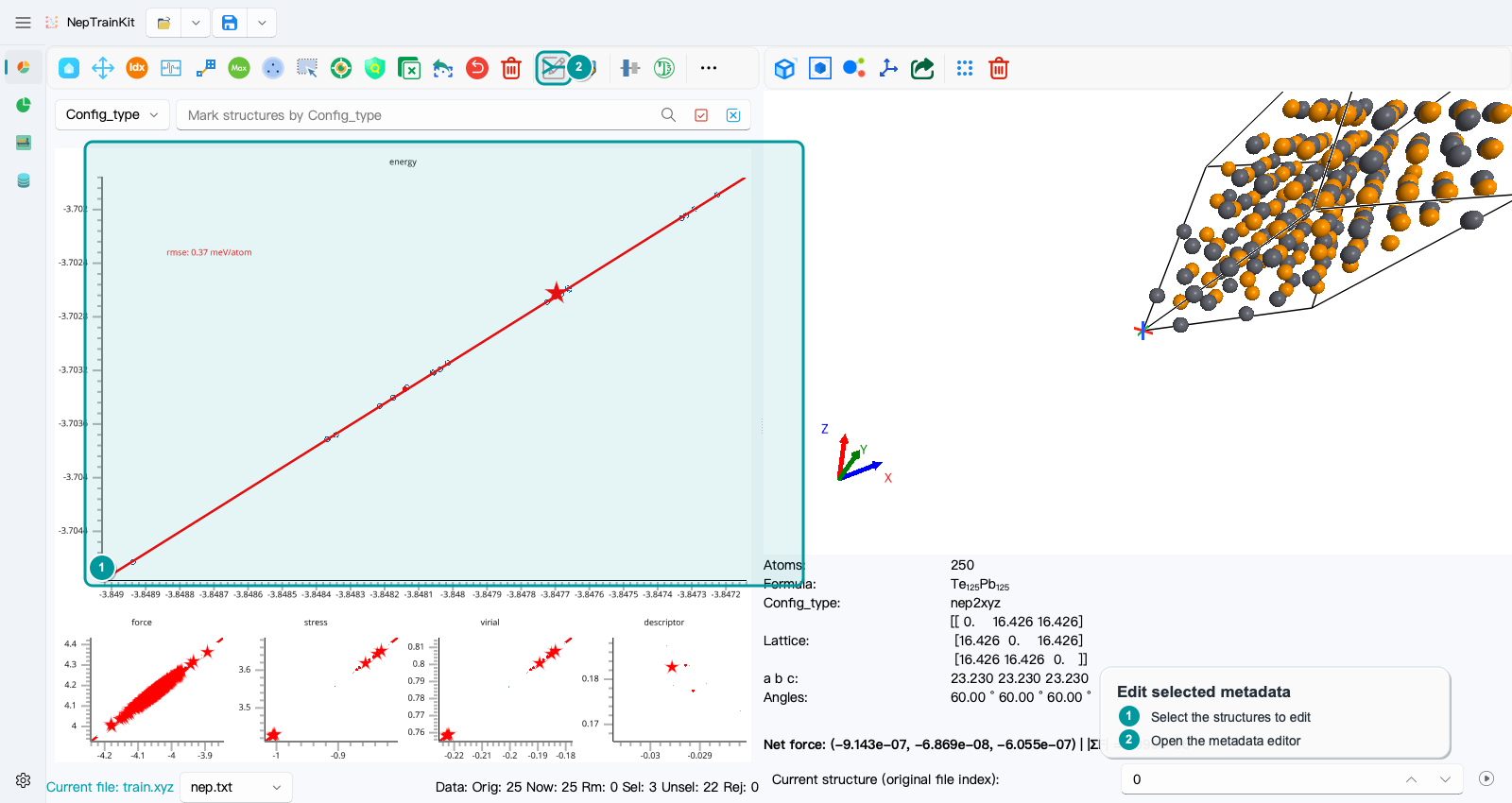
The top of the dialog lists tags shared by the selected structures:
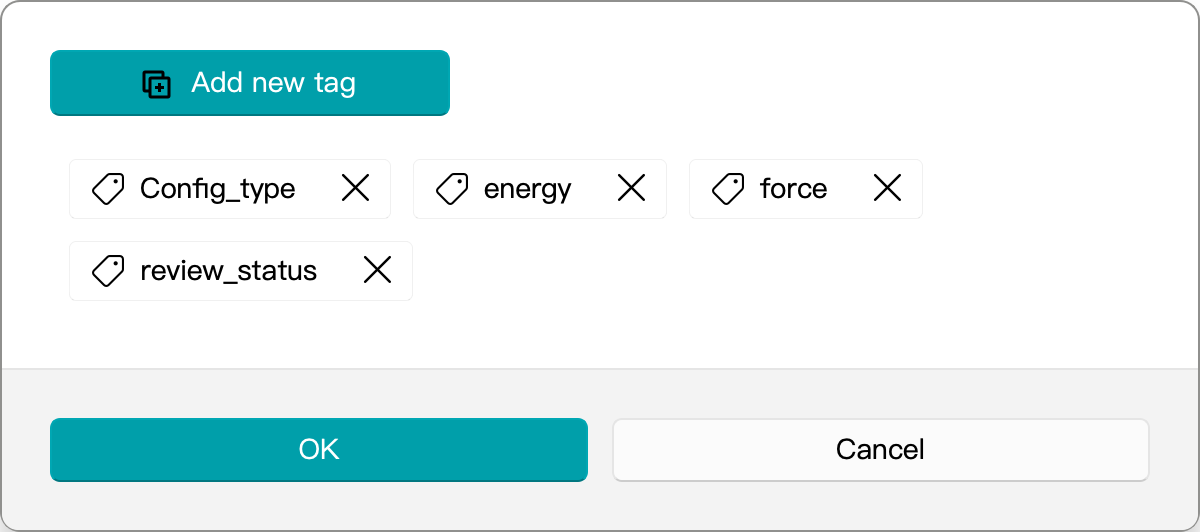
You can directly add a tracking tag such as review_status=checked. To replace Config_type, remove the old Config_type first and then add the new value, for example Config_type=reviewed_bulk. The same edits are applied to every selected structure when you confirm.
Verify the Result Immediately
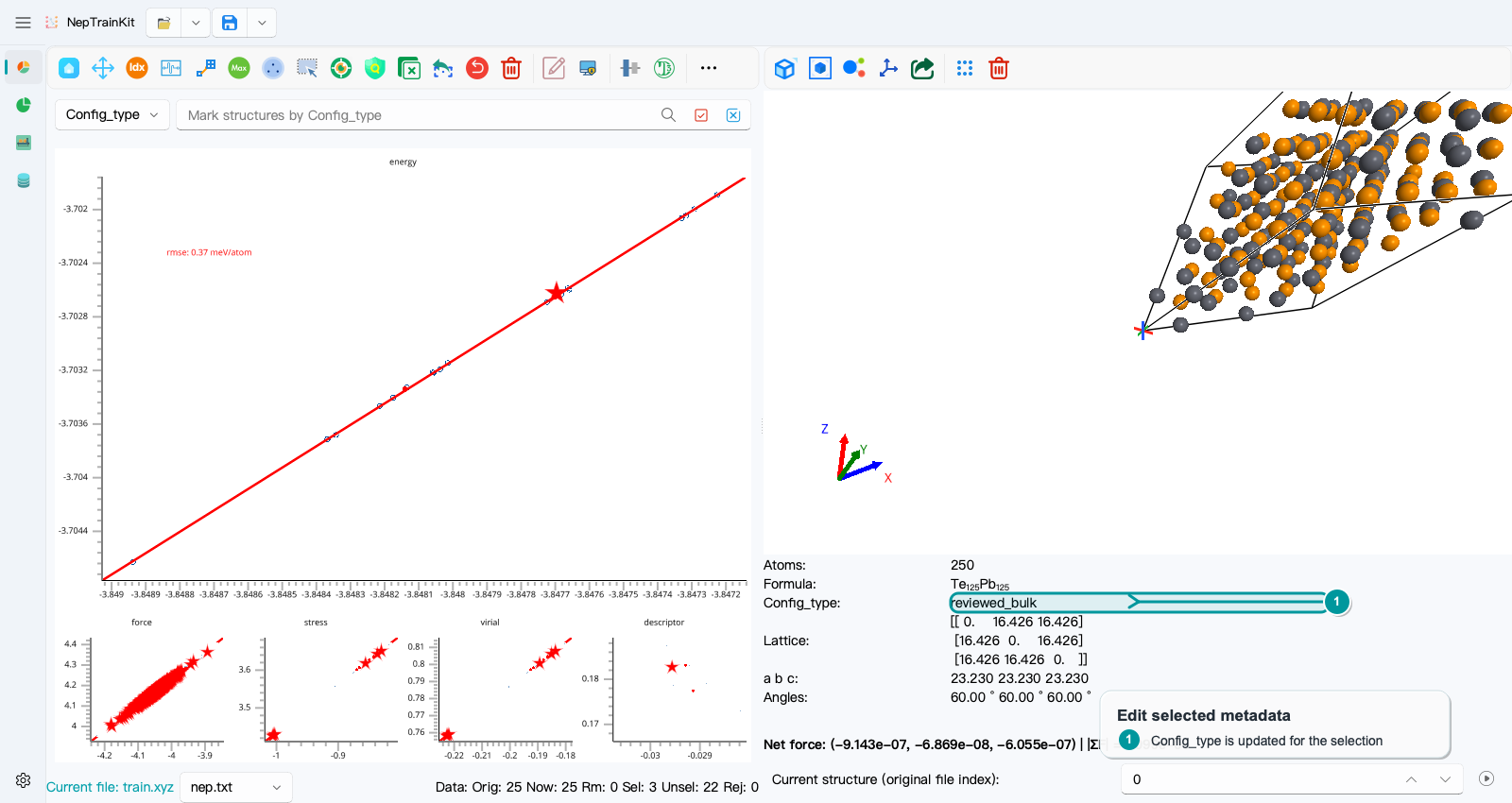
The information panel on the right should show the new value, while the status bar should still show Sel: 3. Metadata editing has no dedicated undo action, so keep the original file before making bulk changes.
Config_type should represent a meaningful group, such as a calculation code or a clearly defined data stage. Do not create an arbitrary group for every structure. In operations such as energy baseline shifting, overly fine groups can introduce unstable independent baselines.