Largest-Error Structures: Inspect Before Deleting
Find Max Error Point quickly locates the structures with the largest errors on the current plot. A large error does not necessarily mean bad data; it may show that the training set lacks this type of structure. Select the points, inspect the structures and Config_type, then decide whether to recalculate, retain and reinforce, or delete them.
1. 先激活要检查的图
After opening the training results, double-click the thumbnail you want to inspect so it enters the main plot. This example checks energy; to find the structures with the largest force errors, activate the force plot first.
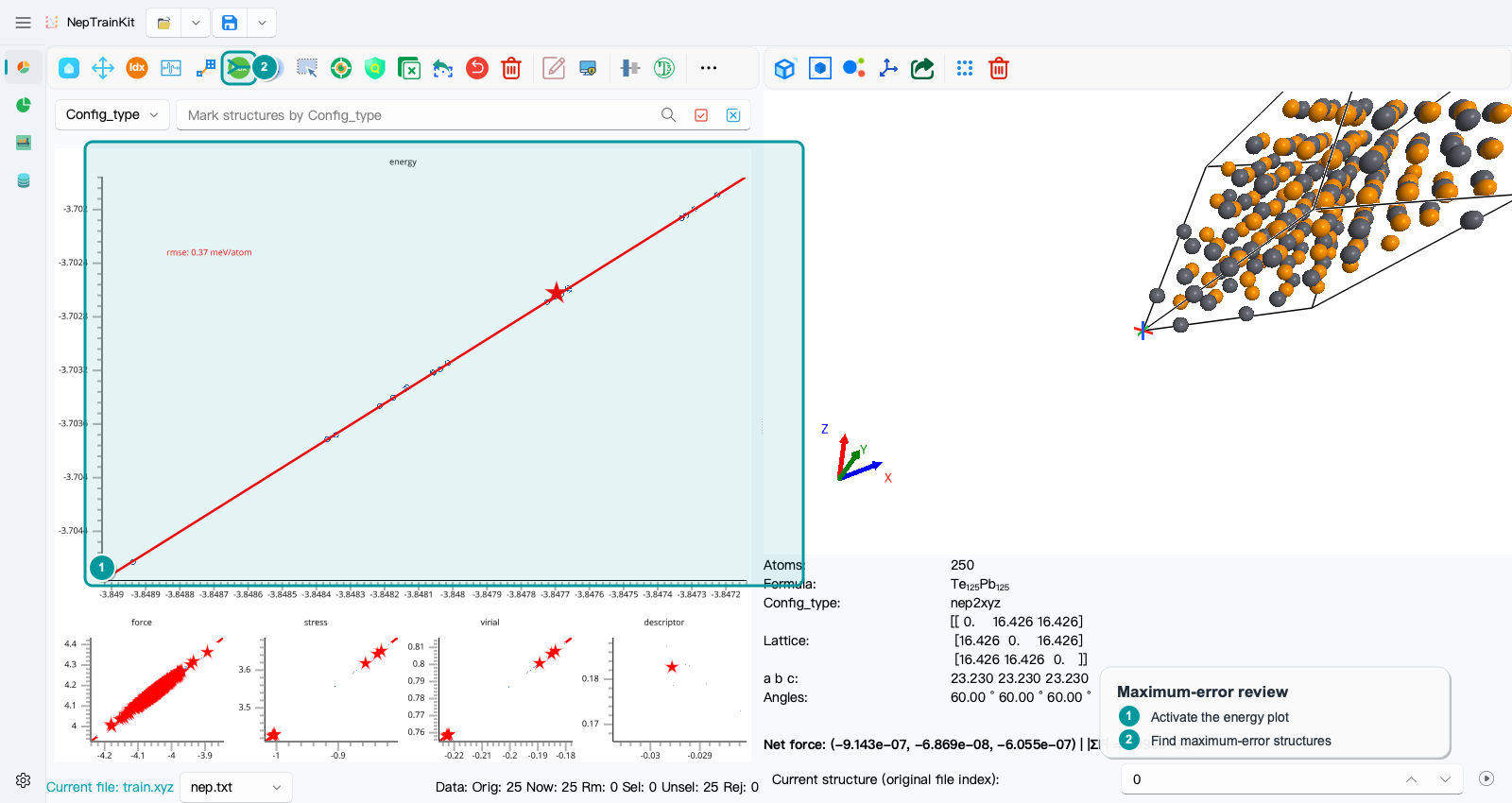
Click Find Max Error Point. This action applies only to the current main plot; it does not combine errors from energy, force, stress, and virial.
2. 输入要复核的结构数
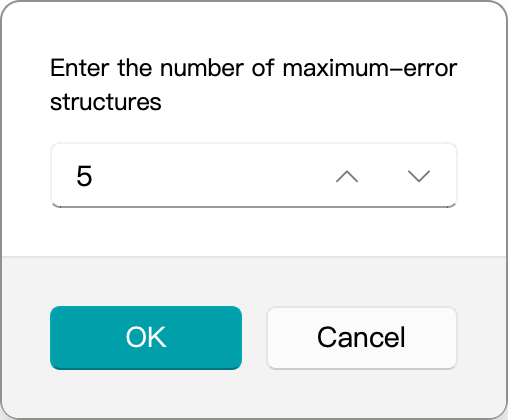
Start with 5. A large selection makes it harder to focus. Review the most extreme cases first, identify the problem type, and then expand the selection if needed.
3. 逐个判断误差来源
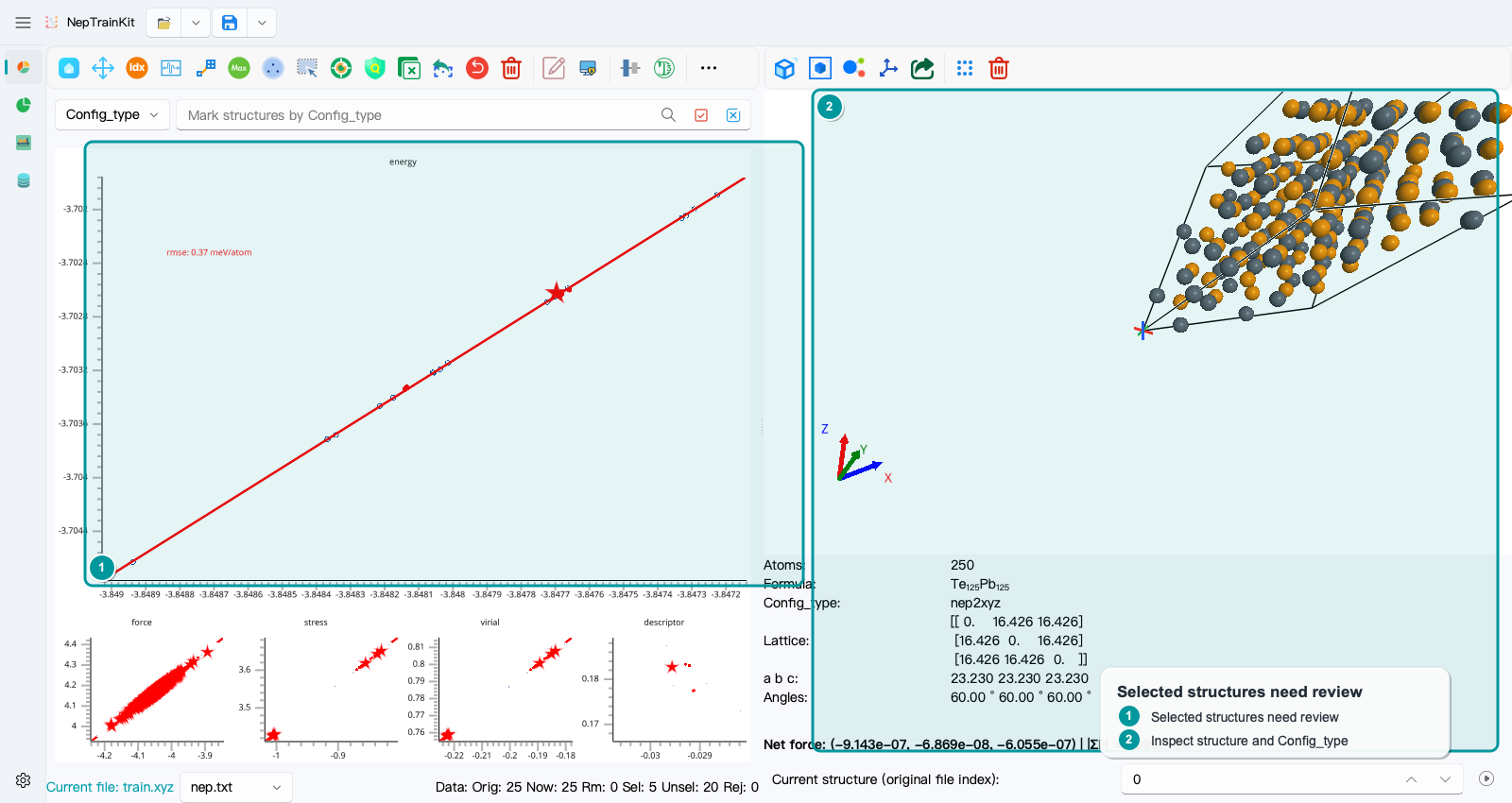
The status bar in this example shows Sel: 5. Click the selected points one by one and inspect the structure on the right, its Config_type, and its source-file index:
Reasonable structure and trustworthy label: usually retain it and check whether this configuration type is underrepresented in the training set.
Reasonable structure but unconverged DFT or an abnormal label: return to the original calculation and inspect it; do not use it directly for retraining.
Clearly broken structure, overlapping atoms, or incorrect provenance: delete it only after confirmation, or use
Export Selectedto archive it separately first.
Do not treat deleting the largest-error points as a routine way to reduce RMSE. Deleting them without review may remove exactly the region the model most needs to learn.